
Best Under-Desk Laptop Mounts: 7 Space-Saving Picks for a Cleaner Workspace

Your desk is prime real estate. Every inch your laptop takes up is space your keyboard, notepad, or coffee mug can’t use. An under-desk laptop mount fixes that by hiding your device below the surface — keeping it accessible, secure, and completely out of the way.
This list covers 7 tested picks across every major use case. Whether you’re building a minimal home office, organizing a standing desk, or just tired of clutter, there’s a mount here that fits.



What to Look for in an Under Desk Laptop Mount
Not all mounts work with all laptops. Getting the wrong one wastes money and leaves your device unstable.
Compatibility comes first. Measure your laptop’s thickness before buying — most mounts accept devices between 0.4 and 1.5 inches thick. Check the listed range against your specific model. This matters more than any other spec.
Installation style is the next big split. Screw-in mounts offer the strongest hold but require drilling into your desk surface. Adhesive models install in minutes but may not support heavier devices long-term. Hybrid options use a combination of both for a middle ground. Browse the full Mount-It! laptop mounts and stands range to see how installation types vary across product lines.
Material matters for longevity. Steel brackets outlast plastic shells, especially in shared offices or daily-use environments. Look for anti-scratch silicone or foam padding on any surface that contacts your laptop — bare metal scratches aluminum and plastic chassis over time.
Think about ventilation too. Most under-desk mounts position laptops horizontally with the vents exposed, which is fine. Vertical cradles need gap clearance of at least half an inch on each side to prevent heat buildup.
Finally, consider whether you need a laptop-only mount or something that also fits mini PCs, modems, or small media boxes. Multi-device mounts cost slightly more but offer flexibility as your setup changes. For readers building a complete ergonomic workspace, pairing a quality mount with the best ergonomic office chairs and the best office chairs for back pain helps tackle both clutter and posture in one go. If space is already tight, see our guide to the best office chair for small spaces for seating that won’t crowd your footprint further.
1. Mount-It! MI-7158 — Best Overall Under Desk Laptop Mount

The Mount-It! MI-7158 is the strongest all-around pick in this category. It works for most laptop sizes, installs securely, and holds devices without wobble or creep. It’s the one to buy if you want reliability without overthinking it.
Key Features
- Fits laptops up to 17 inches with adjustable width bracket for broad compatibility
- Screw-in steel frame provides a firm hold under desks up to 1.5 inches thick
- Foam-padded arms protect chassis from scratches during daily slide-in and removal
- Mounts flush beneath the desk surface, freeing 100% of that desktop footprint
Pros and Cons
Pros
- Steel construction handles repeated daily use without loosening
- Foam padding prevents scratches on aluminum and plastic laptop shells
- Wide size range fits most consumer and business laptops on the market
- Easy to adjust width without removing the mount entirely
Cons
- Requires drilling, which rules out renters or those avoiding desk damage
- Slightly bulkier profile may not suit desks with very shallow undersides
Pricing
Mid-range price tier — competitive for a steel-frame mount with padding included.
Our Verdict
The MI-7158 is the default recommendation for home offices and corporate desks alike. Check the official Mount-It! under desk laptop holder page for full compatibility specs, or confirm retail availability through the retail listing for the Mount-It! under desk laptop holder at Staples. It’s the pick for anyone who wants a “set and forget” solution.
2. WALI Under Desk Laptop Holder — Best Budget Pick
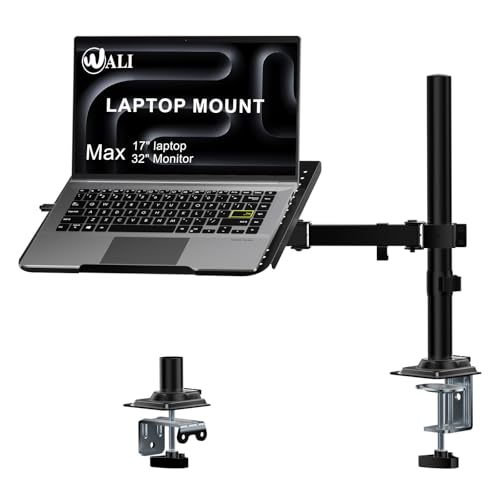
A tight budget doesn’t have to mean unstable storage. The WALI under desk holder delivers solid performance at a noticeably lower price point than steel-frame competitors.
Key Features
- Adjustable clamp arms accommodate laptops from 10 to 17 inches wide
- Rubber-lined arm surfaces protect device edges from contact marks
- Simple screw tightening secures the unit without specialized tools
- Compact footprint works under desks with limited clearance space
Pros and Cons
Pros
- Lower price makes it accessible for budget-first buyers or multi-mount setups
- Rubber padding included — no need for aftermarket protection strips
- Quick to adjust between different laptop sizes during a swap
Cons
- Lighter gauge metal flexes slightly under heavier 15-17 inch gaming laptops
- Finish feels less premium compared to higher-end steel builds
Pricing
Budget tier — one of the lowest prices available for a padded, adjustable mount.
Our Verdict
The WALI holder suits students, freelancers, and anyone setting up a first home office without overspending. Browse under desk laptop mounts on Newegg to compare it against similar budget options. If you’re also price-shopping your chair, our best office chair under 100 guide covers value seating in the same range.
3. IFCASE Under Desk Laptop Mount — Best for Thick Laptops
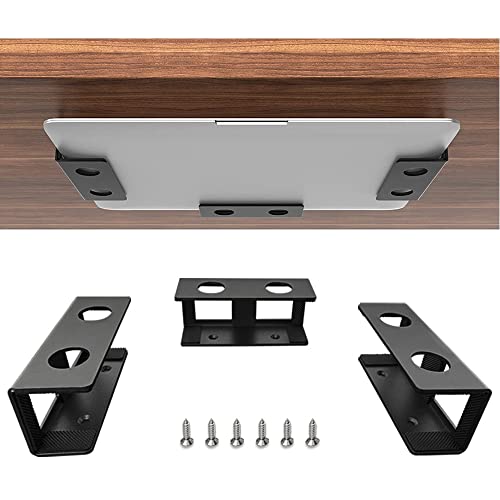
Thick laptops, gaming machines, and older business notebooks often don’t fit standard mounts. The IFCASE solves that directly.
Key Features
- Wide-opening arms accept laptops and MacBooks up to 1.5 inches thick
- Anti-scratch silicone cradle protects edges, ports, and textured chassis finishes
- Adjustable bracket fits devices from 11 to 17 inches for broad device support
- Works with mini PCs and modems — not limited to laptops only
Pros and Cons
Pros
- Thick-device clearance covers gaming laptops, older ThinkPads, and chunky workstations
- Silicone padding rated as soft-touch, reducing any risk of cosmetic marks
- Multi-device design adds long-term value as setups change over time
- Holds MacBook Pro 14-inch and 16-inch models without modification
Cons
- Slightly wider cradle profile means it needs more under-desk clearance
- Not ideal for ultra-thin devices under 0.5 inches, which can rattle in the arms
Pricing
Mid-range pricing — fair for its versatility across device types and thickness levels.
Our Verdict
If your laptop is too thick for a standard mount, the IFCASE is the answer. Check out an example IFCASE under desk laptop mount on Amazon for full sizing specs before ordering.
4. SimpleHouseware Under Desk Laptop Holder — Best for Easy Installation
Some setups can’t handle drilling. The SimpleHouseware mount is built for renters, temporary offices, and anyone who doesn’t want to modify their desk.
Key Features
- 3M adhesive base installs in under 5 minutes with no tools or drilling required
- Holds up to 22 lbs — enough for most 13-to-15-inch consumer laptops
- Slim profile sits close to the desk surface without blocking cable runs
- Non-marking adhesive designed to release cleanly from wood and laminate surfaces
Pros and Cons
Pros
- Zero drilling — ideal for rental apartments, co-working spaces, or glass desks
- Fast setup means you can relocate or reposition without major effort
- Clean removal leaves no adhesive residue on most smooth desk surfaces
Cons
- Long-term adhesion can weaken in high-heat environments or on textured surfaces
- Lower max weight limit rules out heavier 17-inch or gaming laptop models
Pricing
Budget to mid-range — among the most affordable no-drill options available.
Our Verdict
The SimpleHouseware mount is the right pick for setups where permanence isn’t possible. For readers also matching accessories to their room type, our guide to the best office chair for carpeted floor covers flooring-specific seating choices for the same practical mindset.
5. HumanCentric Under Desk Laptop Mount — Best Heavy-Duty Option
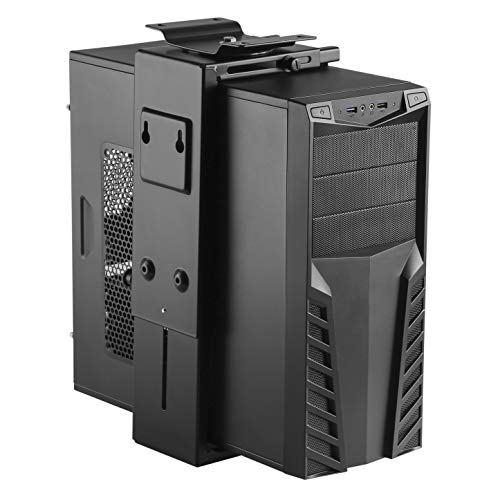
Heavier workstations need a stronger hold. The HumanCentric mount uses thick-gauge steel and reinforced mounting hardware to stay put under demanding conditions.
Key Features
- Steel construction rated to support laptops and small PCs up to 25 lbs
- Four-point screw-in mounting system distributes load evenly across the desk surface
- Adjustable dividers accommodate devices between 0.5 and 2 inches thick
- Low-profile design keeps bulky gaming laptops hidden but fully ventilated
Pros and Cons
Pros
- High weight rating handles gaming laptops, workstation notebooks, and mini PCs
- Four-point anchor system eliminates the wobble common in two-point designs
- Durable steel finish resists daily contact and light impacts over years of use
- Excellent for shared office environments where multiple people access the desk
Cons
- Heaviest install effort of any pick — requires drilling four points, not two
- Adds more bulk under the desk than lighter alternatives
Pricing
Upper mid-range — reflects the thicker materials and higher load rating.
Our Verdict
The HumanCentric is built for demanding setups, gaming rigs, and shared workspaces that need genuine stability. Readers optimizing a full desk environment may also want our picks for the best office chair for hardwood floor and the best office chairs for gaming to round out a performance-focused workspace.
6. Vivo Under Desk Laptop Mount — Best for Small Spaces

Small desks demand smarter storage. The Vivo under desk mount frees up surface area fast and keeps cable runs tidy at the same time.
Key Features
- Compact bracket width works under desks as narrow as 18 inches
- Built-in cable management clip routes power cords cleanly along the desk frame
- Adjustable arm width fits laptops from 11 to 15 inches with a simple hand-screw
- Powder-coated steel resists scratches and corrosion in humid home office environments
Pros and Cons
Pros
- Integrated cable clip reduces under-desk clutter alongside the device itself
- Small footprint suits compact standing desks and corner workstations
- Powder-coat finish holds up better than bare metal or painted alternatives
Cons
- 15-inch max size limit excludes larger laptops and most gaming machines
- Cable clip is fixed, so cable routing options are limited to one side
Pricing
Budget to mid-range — strong value for what it includes in a compact package.
Our Verdict
The Vivo mount is the top choice for anyone working on a small or standing desk. Readers building out a full minimalist setup will also benefit from the best office chair for standing desk guide and our roundup of the best mesh office chair picks for space-conscious seating.
7. Suptek Under Desk Laptop Bracket — Best Versatile Pick
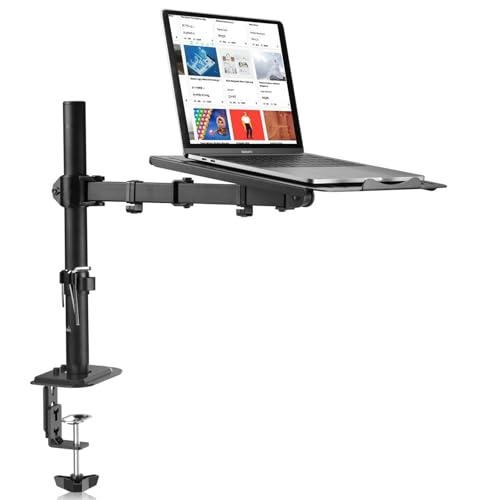
The Suptek bracket handles laptops, tablets, and mini PCs interchangeably. It’s the right choice when your setup changes often or you share the desk with different devices.
Key Features
- Adjustable cradle arms fit devices from 9.6 to 17 inches wide
- Foam-wrapped arms switch between laptop, tablet, and small console storage
- Two mounting options: screw-in for permanent desks, adhesive pad for temporary use
- Supports devices up to 22 lbs with the screw-in method installed
Pros and Cons
Pros
- Dual mounting options give flexibility across permanent and temporary setups
- Wide size range covers more device types than most single-use brackets
- Foam padding included on both contact arms — no extra purchase required
Cons
- Adhesive hold maxes out around 11 lbs, limiting the no-drill setup to lighter devices
- Cradle arms require more adjustment time when swapping between very different devices
Pricing
Mid-range — priced fairly for the dual-mount functionality it provides.
Our Verdict
The Suptek is ideal for shared desks, hybrid setups, and anyone who switches between devices regularly. It’s the most adaptable pick on this list.
Comparison Table
| Mount | Best For | Install Type | Max Device Size | Weight Limit |
|---|---|---|---|---|
| Mount-It! MI-7158 | Best overall | Screw-in | 17 inches | 22 lbs |
| WALI Holder | Budget buyers | Screw-in | 17 inches | 17 lbs |
| IFCASE Mount | Thick laptops | Screw-in | 17 inches | 22 lbs |
| SimpleHouseware | Easy install | Adhesive | 15 inches | 22 lbs |
| HumanCentric | Heavy-duty use | Screw-in (4-point) | 17 inches | 25 lbs |
| Vivo Mount | Small spaces | Screw-in | 15 inches | 20 lbs |
| Suptek Bracket | Versatile/multi-device | Screw-in or adhesive | 17 inches | 22 lbs |
FAQs About Under Desk Laptop Mounts
Will it fit my laptop?
Measure your laptop’s thickness and width before buying. Most mounts list a thickness range (usually 0.4–1.5 inches) and a width range (11–17 inches). Both need to match your device — width alone isn’t enough.
Can installation damage my desk?
Screw-in mounts require drilling, which creates permanent holes. Adhesive mounts avoid drilling but may leave residue or fail on textured or oily surfaces. Test a small adhesive patch first if you’re unsure about your desk material.
Is ventilation a problem?
It depends on the mount style. Horizontal cradles with open sides let vents breathe freely. Vertical mounts need at least half an inch of air gap on each side. Check your laptop’s vent placement before deciding on mount orientation.
Do mounts work with docking stations?
Yes — most mounts store the laptop next to the dock, not on top of it. You’ll still connect your dock cable to the laptop while it’s in the mount. Screw-in mounts keep the device stable enough to plug and unplug cables daily without the bracket shifting.
For readers comparing value across their full office setup, our best office chair under 200 guide is a natural next step.
Final Verdict
The Mount-It! MI-7158 is the default pick for most buyers. It fits the widest range of laptops, installs securely, and holds up over years of daily use.
Going budget? Choose the WALI. Need thick-laptop clearance? Go with the IFCASE. Can’t drill? The SimpleHouseware is your answer. Running a heavy gaming rig? Pick the HumanCentric. Working on a compact desk? The Vivo wins. Need device flexibility? The Suptek handles it.
Match the mount to your desk and device — that’s the only decision that matters.
