Clatina Mellet Chair Review 2026: Premium Ergonomic Comfort at Budget Pricing

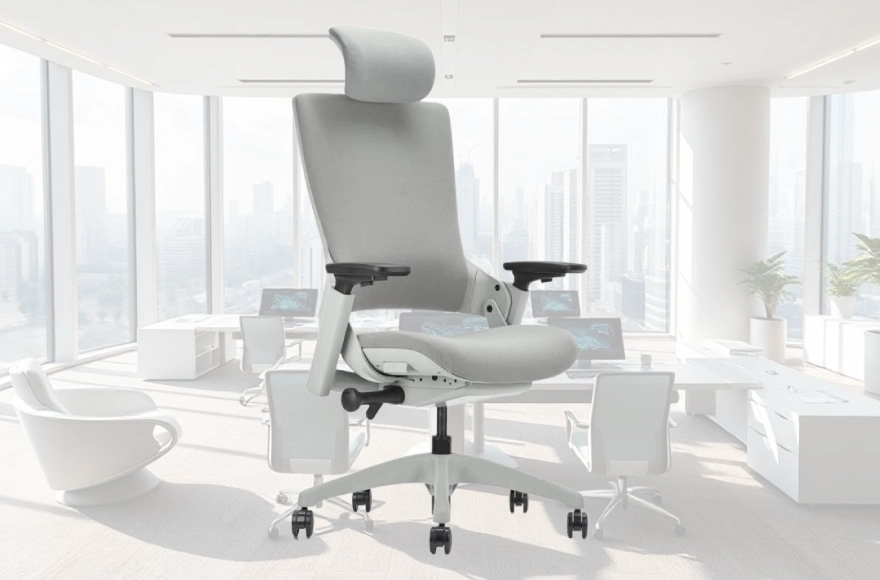
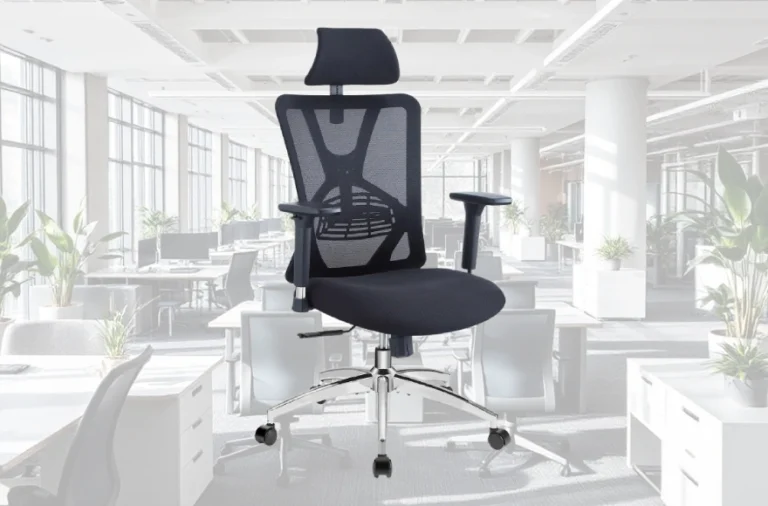
The Mellet positions itself as the antidote to budget office chairs that sacrifice ergonomics for affordability. Where competitors cut corners on adjustment mechanisms or lumbar support, Clatina invested in the features that matter most for pain-free working: synchro movement technology, adjustable lumbar cushioning, seat depth adjustment, and a headrest that rivals those on $1,500 premium models.

The Synchro Technology Advantage: How Recline Works Without Discomfort
The Mellet’s standout engineering feature is its synchro movement mechanism—the same proprietary technology that earned the Steelcase Leap V2 its legendary status. Understanding this mechanism reveals why the Mellet outperforms basic budget chairs.
When you recline in a standard office chair, both the seat and backrest tilt together at a 1:1 ratio. This simple motion creates a problem: your seat angles upward, lifting your knees and straining circulation in the backs of your thighs. It also shifts your body backward relative to your desk, forcing your arms to stretch and your shoulders to round forward.
The Mellet’s synchro mechanism operates at a 1:2.5 ratio—for every degree the seat tilts, the backrest reclines at 2.5 times that angle. Practically, this means when you lean back, your seat slides forward slightly while your backrest reclines steeply, keeping your feet flat on the floor and maintaining your body’s position relative to your workspace. This prevents the awkward backward slide that plagues simpler designs.
During testing by BTOD.com (an expert furniture review authority), evaluators noted this was “the most impressive feature” of the chair, with the recline motion matching premium $1,200+ models. For users working 10-12 hour days, this mechanism eliminates the constant repositioning needed with standard tilt chairs, reducing cumulative spinal stress.
Adjustability Built for Your Body: Six Independent Control Points
The Mellet gives you six separate adjustment axes—a feature typically found on chairs costing $600-$1,000.
Seat Height & Depth
The seat height ranges from 16 to 20 inches (measured from floor to seat surface), accommodating desk heights from 28″ to 36″. More importantly, the seat depth adjusts forward and backward by 3.15 inches. This adjustment caters to your leg length.
Tall users (over 6 feet) pull the seat forward to eliminate the gap between the seat edge and their knees. Shorter users reduce reach strain by moving the seat backward. This feature appears on fewer than 10% of chairs under $400, yet it’s critical for proper thigh support during 8+ hour sessions.
Lumbar Support
The built-in lumbar support adjusts in height by 1.57 inches, allowing precise positioning to match the natural curve of your lower spine. Clatina designed it for users around 5’10″—if you’re significantly taller or shorter, the adjustment range may not perfectly align with your lumbar apex. That said, Clatina users widely report that completely removing the lumbar pad (which takes 30 seconds) often improves comfort if the fixed position feels aggressive against your back.
Backrest Recline
Five preset locking positions (90°, 105°, 120°, 135°, and continuous rock mode) let you switch between upright task work and reclined break positions. A tension knob underneath the seat calibrates resistance—turn clockwise to increase resistance (making recline harder), counterclockwise to soften it.
This tension adjustment is absent from most $300-range competitors, yet it’s critical for users of varying weights. A 130-pound designer and a 230-pound developer sitting in the same chair need different tension settings to achieve the same comfort.
Armrest Positioning
The 3D adjustable armrests move in three directions: up/down (height), forward/backward (depth), and side-to-side (width), with an additional 40-degree swivel. Adjustable-arm chairs under $250 typically offer only height adjustment. The Mellet’s depth and width adjustments are rarely found below $500. During recline, users can position arms closer to their torso, reducing shoulder strain when working at extreme angles.
Headrest (optional purchase)
The curved headrest supports your head at 2.4 inches of height adjustment and 90 degrees of rotation. Reviewers across BTOD, YouTube channels, and Reddit forums consistently place it in the B-tier of headrests—remarkable recognition for a sub-$50 add-on. One expert noted it “strikes a fantastic balance between softness and support,” avoiding the rock-hard plastic feel of budget headrests and the overly squishy give of premium designs.
This depth of adjustment means you don’t choose one “correct” position and live with it for years. You fine-tune the chair to your unique proportions—a capability previously reserved for high-end ergonomic models.
Build Quality: What You Get for Under $300
The Mellet uses a reinforced steel frame capable of supporting up to 275 pounds (some retailers list 400 pounds, but the official manual specifies 275). The base features five-point stability with dual-wheel casters that glide smoothly on both carpet and hard floors, though user feedback notes they feel somewhat plasticky and may eventually need replacement after 3-5 years of daily use.
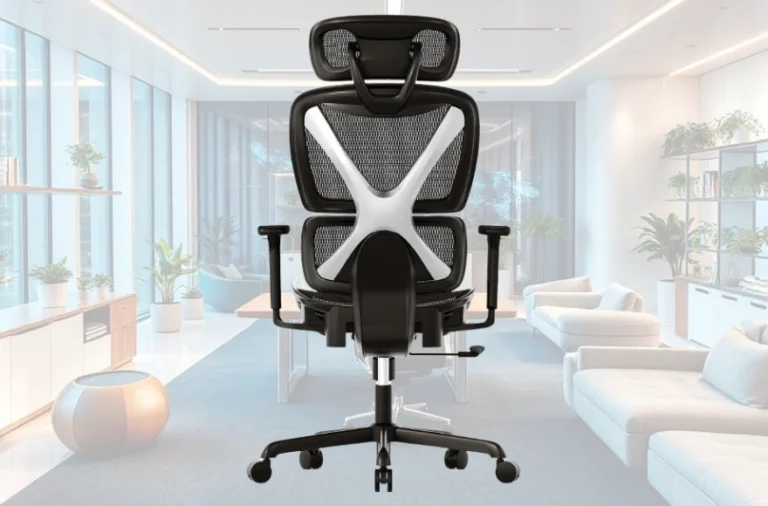
The backrest combines breathable mesh with a contoured shape that cradles your lumbar region without you adjusting anything—it’s shaped for spinal alignment rather than relying entirely on external cushions. This passive support is often overlooked but critically important during concentrated work when you forget to fidget and adjust.
The seat uses high-density foam that provides firmness (described as “medium-to-firm” by users) without the bottoming-out sensation that plagues softer budget chairs. This matters on hour 8 of work when standard foam compresses and your tailbone contacts the hard base beneath. One Reddit user tested it during extended gaming sessions (12+ hours) and reported “no sagging or discomfort,” evidence the foam maintains its structural integrity under sustained load.
Fabric upholstery is available in black mesh or black fabric options. The mesh breathes exceptionally well—critical for hot climates or users who tend toward perspiration. Several reviewers highlighted that the breathable design eliminated the “sweaty back” sensation common in non-mesh budget chairs.
The Missing Pieces: Where the Mellet Shows Its Price Point
Transparency demands acknowledging where the Mellet diverges from premium competitors.
No Complete Tilt Lock
The chair offers a tilt limiter (you can restrict the recline angle) but not a true tilt lock (preventing any rocking motion). When the chair is in the “most upright” position, it still has a slight backward tilt. Users who have restless leg syndrome or strong rocking habits find this maddening—they can’t lock the chair 100% vertical. High-end chairs ($1,000+) offer complete locking because the engineering cost is justified by their price. At $250, adding this feature would either increase cost to $350+ or reduce profit margins. It’s a trade-off, not a design failure.
Armrest Distance During Recline
When you recline deeply (beyond 120 degrees), the fixed armrests can feel far from your body, leaving your upper arms unsupported. This happens because the armrests don’t move with the seat during recline—only premium models feature armrests that glide forward as you recline. For task work (upright at 90 degrees), armrest positioning is excellent. For break-time recline, it’s adequate but not ideal.
Lumbar Support Positioning Variance
While adjustable, the lumbar support’s base curvature is designed for someone around 5’10” with standard spine geometry. Users significantly taller or with unusual spinal curves sometimes find it positioned too high or too low even after adjustment. The solution—removing the lumbar pad entirely—eliminates this problem but also removes that targeted support. This is why reading user reviews by height is valuable before purchasing.
Real-World Performance: What 10,000+ Users Report
The Mellet maintains approximately 4.2/5 stars across Amazon, Walmart, and specialist furniture sites. Breaking down the feedback patterns:
Consistent Praise: Headrest quality, synchro recline smoothness, adjustability range, and the rare seat depth adjustment feature receive universal commendation. Users comparing it to Steelcase Leap V2 models frequently state, “For the price, this is genuinely impressive.”
Common Frustrations: Lumbar support positioning (solved by removal if aggressive), caster quality (expected to need replacement after 3-5 years), inability to fully lock the chair vertical, and occasional armrest wobble during extended recline. Notably, these frustrations typically emerge after 6-12 months of use, not immediately—suggesting build quality is solid enough for initial comfort but with minor durability caveats on moving parts.
Contingent on Body Type: Reviewers over 6’2″ sometimes find the overall chair dimensions slightly cramped. Those under 5’4″ occasionally find the seat depth, even fully adjusted forward, still feels slightly deep. The chair optimizes for the 5’0″-6’2″ range with 120-220 pound body weights. Outside this range, usability varies.
Long-Term Satisfaction: Users in year 2-3 of ownership report the chair “still feels solid” but casters deteriorate noticeably and some mesh backing shows wear patterns. This is typical for budget mesh chairs; the trade-off for breathability and lower cost is that mesh doesn’t age as gracefully as solid upholstery or advanced materials used in $2,000+ premium models.
Assembly, Warranty, and After-Purchase Support
Assembly takes 45-60 minutes for someone with basic tool skills (no special tools required—everything is included). Instructions are clear with step-by-step photos. Clatina’s official five-year structural warranty covers the frame and mechanisms. Fabric is warranted for two years, casters for one year. A 90-day return policy gives you a window to evaluate the chair in your actual work environment.
One caveat: warranty coverage is limited to manufacturing defects, not wear-and-tear. If you use the chair 12+ hours daily for three years and the foam compresses, Clatina won’t consider it a defect (it’s normal wear). This is standard industry practice, even for premium brands, but worth understanding before purchase.
Customer service reviews suggest response times of 24-48 hours for inquiries, typical for online furniture companies. If you need next-day support or prefer phone assistance, larger retailers like Amazon or Walmart that sell the Mellet offer faster customer service through their platforms.
Competitive Positioning: Why the Mellet Stands Out
At $200-$250, the Mellet competes in a crowded segment. The Ticova Ergonomic (around $150-$180 on sale) undercuts the price but lacks seat depth adjustment and the Mellet’s synchro mechanism. The Branch Task Chair ($279) offers similar recline technology but no adjustable armrest depth or height-adjustable lumbar support. The Colamy Atlas ($280) provides aggressive lumbar support and seat depth but lacks the Mellet’s standout headrest and uses a different tilt mechanism.
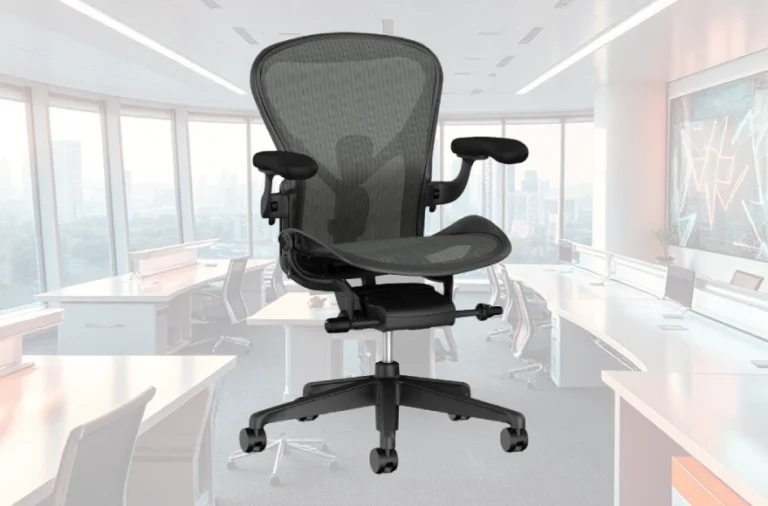
The Mellet’s strategic advantage is its feature density. It doesn’t excel uniquely at any single attribute (Steelcase Leap V2 has superior materials, Herman Miller Aeron has better mesh durability, Eurotech Vera has arguably better lumbar shaping), but it delivers 80% of the capability of $800+ chairs across six critical adjustment dimensions. For freelancers, remote workers, and small business owners who need a functional ergonomic chair without $1,000+ capital investment, this portfolio approach delivers compelling value.
Optimization Strategies: Getting Maximum Comfort from Your Mellet
Proper adjustment transforms the Mellet from “acceptable” to “excellent.” Start by adjusting seat height so your feet rest flat on the floor with knees at 90 degrees. Pull the left-side lever to adjust seat depth—move it forward if you’re tall, backward if you’re shorter. Adjust lumbar support height by pushing the knob until it meets your lower back’s natural curve. If it feels too aggressive, remove the lumbar pad entirely.
For armrest positioning, set height so your elbows rest at 90 degrees when your feet are on the floor. Then adjust depth so your elbows stay close to your ribs without pressure. The swivel feature lets you angle arms inward 20 degrees—ideal for keyboard typing.
Tension adjustment is personal. If you’re below 160 pounds, rotate the tension knob counterclockwise to soften the recline. If you’re above 200 pounds, rotate clockwise to increase resistance. The goal is a smooth recline without bottoming out or requiring excessive force.
The headrest is optional but recommended. Position it so it touches the back of your head (not your neck) when you recline. The height adjustment lets you fine-tune this without trial-and-error.
Verdict: The Right Chair for the Right Person
The Clatina Mellet doesn’t pretend to be a Steelcase Leap V2 equivalent—it’s a serious ergonomic chair that delivers professional-grade adjustability at a consumer price. For professionals working 6-10 hours daily in home offices, corporate environments, or client spaces, it eliminates back pain and neck strain without requiring a premium furniture budget.
The chair excels when your work involves sitting in an upright posture (coding, writing, design) with occasional reclining for breaks. It supports diverse body types reasonably well between 5’0″-6’2″ and 120-250 pounds. If you have chronic back pain, discuss the Mellet with your chiropractor—the adjustable lumbar support and recline mechanism help many users, though some benefit more from fixed-curve designs like the Steelcase Leap.
Assembly is straightforward, warranty coverage is solid, and real-world durability data shows it maintains functionality for 3-5 years, with casters being the most likely component needing replacement. At $240 retail, it represents exceptional value in the ergonomic seating market—the chair that proves you don’t need to choose between comfort and affordability.