
Best Office Chairs for Gaming 2026: Top 10 Hybrid Gaming & Work Chairs

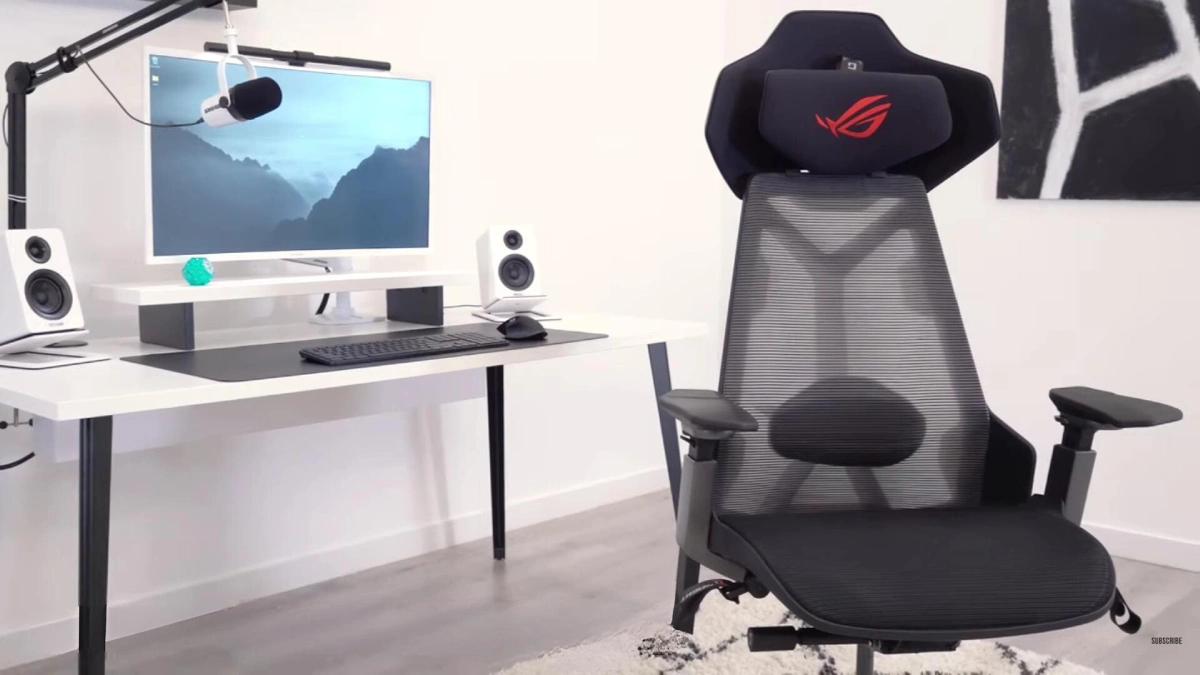
Office chairs built for gaming beat traditional racing-style seats in ergonomics, durability, and sustained comfort. These hybrid chairs provide the lumbar support and adjustability you need for 8-hour workdays and extended gaming without sacrificing build quality or straining your budget.


What to Look for in an Office Chair for Gaming
The right office chair for gaming combines professional ergonomics with features that support extended gaming posture. You need adjustable lumbar support that maintains your spine’s natural curve during both upright work and reclined gaming positions.
Look for chairs with independent backrest tilt, seat depth adjustment, and 4D armrests that pivot, slide, and raise to support your forearms during keyboard-and-mouse gameplay. These features separate quality office chairs from cheap gaming alternatives.
Lumbar Support and Posture for Long Gaming Sessions
Quality lumbar support prevents lower-back fatigue after 3-4 hour sessions. The best office chairs for gaming feature adjustable lumbar mechanisms—either built-in tension systems or removable pads—that you position precisely at your L4-L5 vertebrae.
This differs from cheap gaming chairs that include fixed foam pillows offering zero customization. Proper posture during gaming requires a slightly reclined position—100-110 degrees—that reduces spinal compression while keeping your head and neck aligned.
Office chairs with synchronized tilt mechanisms maintain lumbar contact as you recline. Basic gaming chairs force you to choose between upright rigidity or unsupported slouching.
Recline, Tilt, and Seat Pan Adjustments
Seat depth adjustment matters more than most gamers realize. If you’re 5’10” or taller, you need at least 18-19 inches of usable seat depth to prevent thigh pressure and circulation problems during long sessions.
Chairs with sliding seat pans let you dial in the perfect depth so your knees bend at 90 degrees with 2-3 inches of clearance behind them. Tilt tension control allows you to set how much force is required to recline the backrest.
Heavier users (200+ pounds) need stiffer resistance to prevent the chair from feeling springy. Lighter gamers prefer gentler tension. Multi-position tilt locks let you fix the backrest at specific angles—ideal for locking in your preferred gaming recline and switching to upright for focused work.
How We Test & Choose the Best Gaming-Ready Office Chairs
We evaluate office chairs for gaming across five criteria: comfort during 6+ hour sessions, adjustability range, build quality and materials, breathability, and price-to-value ratio. Each chair undergoes real-world testing with both productivity work and gaming sessions spanning FPS titles, strategy games, and competitive multiplayer.
Testing for 8-Hour Workdays and Marathon Gaming
Our testing protocol simulates hybrid work-gaming days: 6-8 hours of desk work followed by 3-4 hours of gaming. We track pressure points, heat buildup, and lumbar fatigue across this timeline.
Chairs that maintain comfort through both phases—without requiring constant position shifts—earn top marks. We pay special attention to how chairs handle gaming-specific postures: leaning forward during intense moments, reclining during cutscenes, and swiveling for multi-monitor setups.
Armrest stability matters here—wobbly arms that drift during gameplay disqualify otherwise solid chairs.
ThunderX3 Flex Pro – Best Overall Office Chair for Gaming
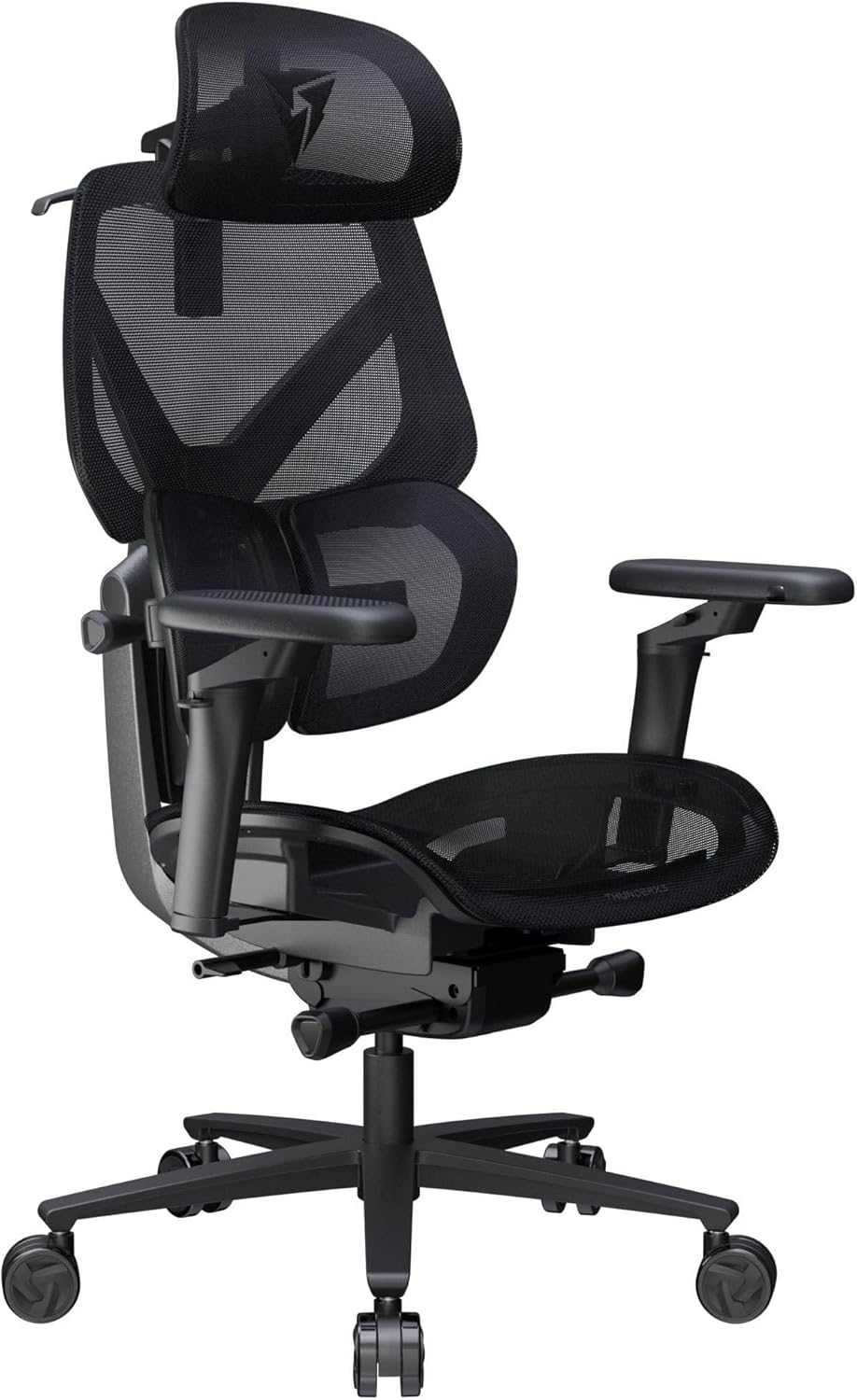
ThunderX3 Flex Pro Gaming Office Chair delivers the ideal balance of ergonomic adjustability, gaming-ready features, and mid-range pricing. This hybrid chair combines breathable mesh backing with dense foam seating, 4D armrests, and independent lumbar adjustment that works equally well for upright coding and reclined gaming.
The Flex Pro’s standout feature is its dual-density seat cushion—firmer foam at the edges prevents sagging while softer center foam reduces pressure on your tailbone during 5+ hour sessions. The mesh backrest promotes airflow far better than PU leather gaming chairs, eliminating the sweaty-back problem that plagues summer gaming marathons.
Who It’s Best For (Body Type, Height, Weight)
This chair fits users 5’6″ to 6’2″ and supports up to 285 pounds comfortably. The 18.5-inch seat depth works for average-to-tall builds, though users over 6’3″ may find the backrest slightly short.
Weight distribution feels balanced for the 160-220 pound range. Heavier users should test the tilt tension at maximum resistance before committing.
How to Use It for Gaming vs Office Work
Set the lumbar support higher and firmer for office work to maintain an upright posture during typing and video calls. For gaming, drop the lumbar pad 1-2 inches and reduce tension slightly to support a 105-110 degree recline.
Lower the armrests during intense FPS sessions to allow full mouse-pad range of motion. Raise them for strategy games requiring less arm movement.
IKEA Matchspel – Best Budget Office Chair for Gaming
credit: www.ikea.com
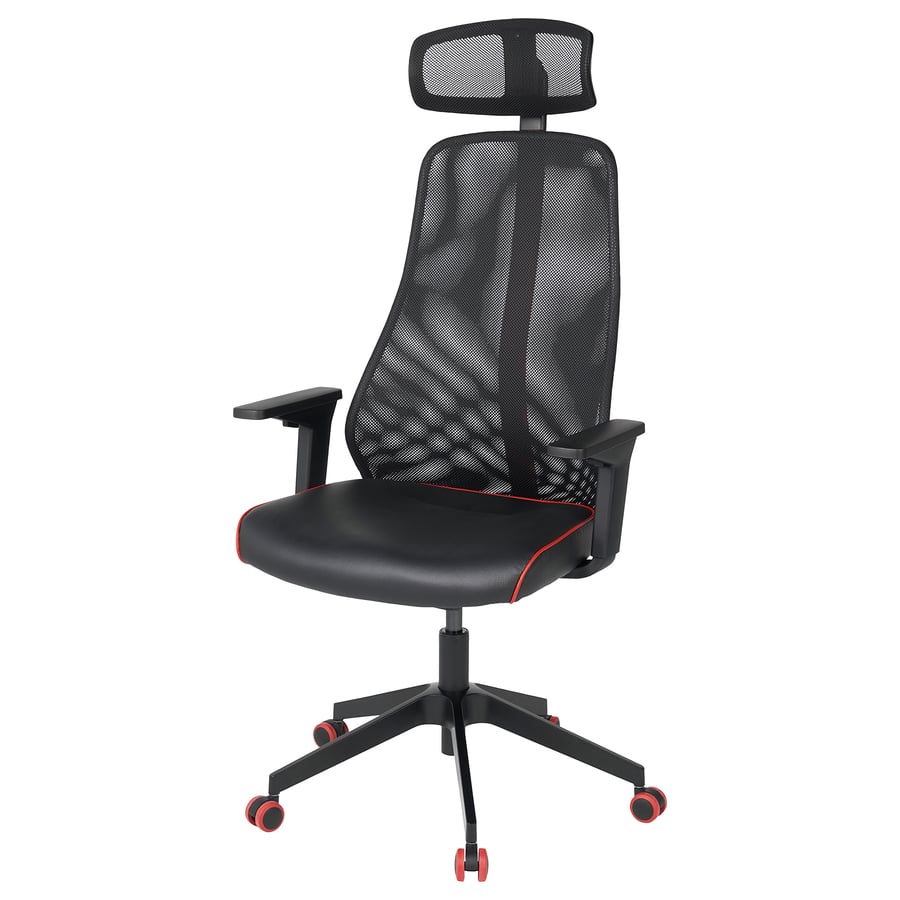
IKEA Matchspel Gaming Chair delivers surprising adjustability for the price point. You get height adjustment, basic lumbar support, 2D armrests, and a recline function with tilt lock—enough to support casual gaming and standard office work.
What you sacrifice: seat depth adjustment, advanced lumbar customization, and premium materials. The foam is firmer than mid-range chairs and begins compressing after 18-24 months of daily use.
The armrests adjust only up-down and forward-back, limiting positioning options for varied gaming setups.
Budget Pick vs Mid-Range Gaming Chairs
The Matchspel beats similarly priced racing-style gaming chairs in every category except aesthetics. Where $200 gaming chairs use thin foam and wobbly bases, the Matchspel features a stable five-star base and denser seating that lasts 2-3 years.
The mesh backing provides better airflow than any PU leather gaming chair under $300. Expect to replace the Matchspel after 3-4 years of daily use versus 5-7 years for a $500+ office chair.
If you’re budget-constrained or unsure how much you’ll use a dedicated gaming setup, this chair delivers 80% of the comfort at 40% of the cost.
Steelcase Gesture – Best Comfort-Focused Office Chair for Gaming
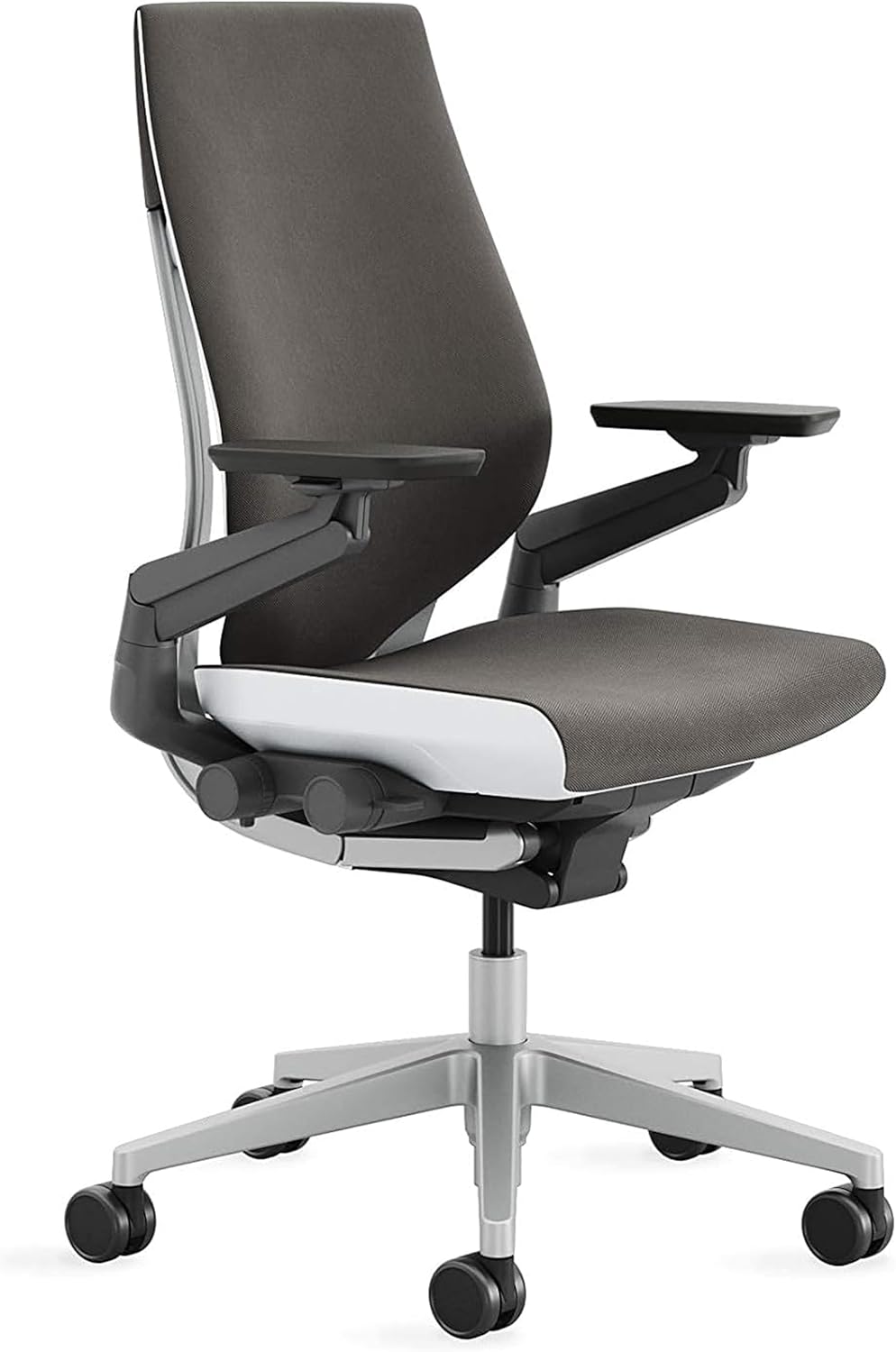
Steelcase Gesture at $950-$1,100 represents peak ergonomic engineering for gamers who spend 10+ hours daily at their desk. This premium chair features synchronized tilt, 360-degree armrests, adjustable lumbar support, and a seat that conforms to your body shape without creating pressure points even after 8-hour sessions.
The Gesture’s armrests move in ways most gaming chairs can’t match. They pivot outward for controller gaming, slide inward for mouse-and-keyboard setups, and rotate to support your forearms during any activity.
The LiveBack technology flexes with your spine as you shift positions, maintaining lumbar contact whether you’re sitting upright or reclined at 115 degrees.
When the Premium Comfort Chair Is Worth It
You should invest in a Gesture-level chair if you experience chronic back pain, work from home full-time, or game competitively for 15+ hours weekly. The 12-year warranty and replaceable parts mean this chair costs $7-8 per month over its lifespan, versus $10-15 per month for cheap gaming chairs you replace every 2 years.
Skip the premium tier if you’re under 25 with no existing back issues, game fewer than 10 hours weekly, or move frequently and can’t justify transporting a 50-pound office chair. The comfort gains over a $500 mid-range chair are noticeable but not transformative for casual users.
Steelcase Leap v2 Plus – Best Office Chair for Big and Tall Gamers

Steelcase Leap v2 Plus handles users up to 500 pounds and accommodates heights from 5’8″ to 6’6″ with its extended cylinder and taller backrest. The 22-inch wide seat provides 4-5 inches more space than standard office chairs, eliminating the squeezed-in feeling that plagues larger gamers using normal-sized seats.
Measuring Your Fit: Seat Depth and Height
Proper fit requires measuring your seated height and thigh length before purchasing. Sit against a wall with knees bent at 90 degrees—measure from the floor to behind your knee (this is your minimum seat height requirement).
Measure from your lower back to behind your knee (this is your minimum seat depth requirement). The Leap v2 Plus offers 19-21 inches of adjustable seat depth and a seat height range of 17-22 inches—compare these to your measurements.
If your thigh length exceeds 21 inches, you need a specialty big-and-tall chair with extended seat pan options. Weight capacity matters less than dimensional fit—a 250-pound user who’s 6’5″ needs different support than a 250-pound user who’s 5’10”.
Herman Miller x Logitech Embody – Best Office Chair That Feels Like a Gaming Chair
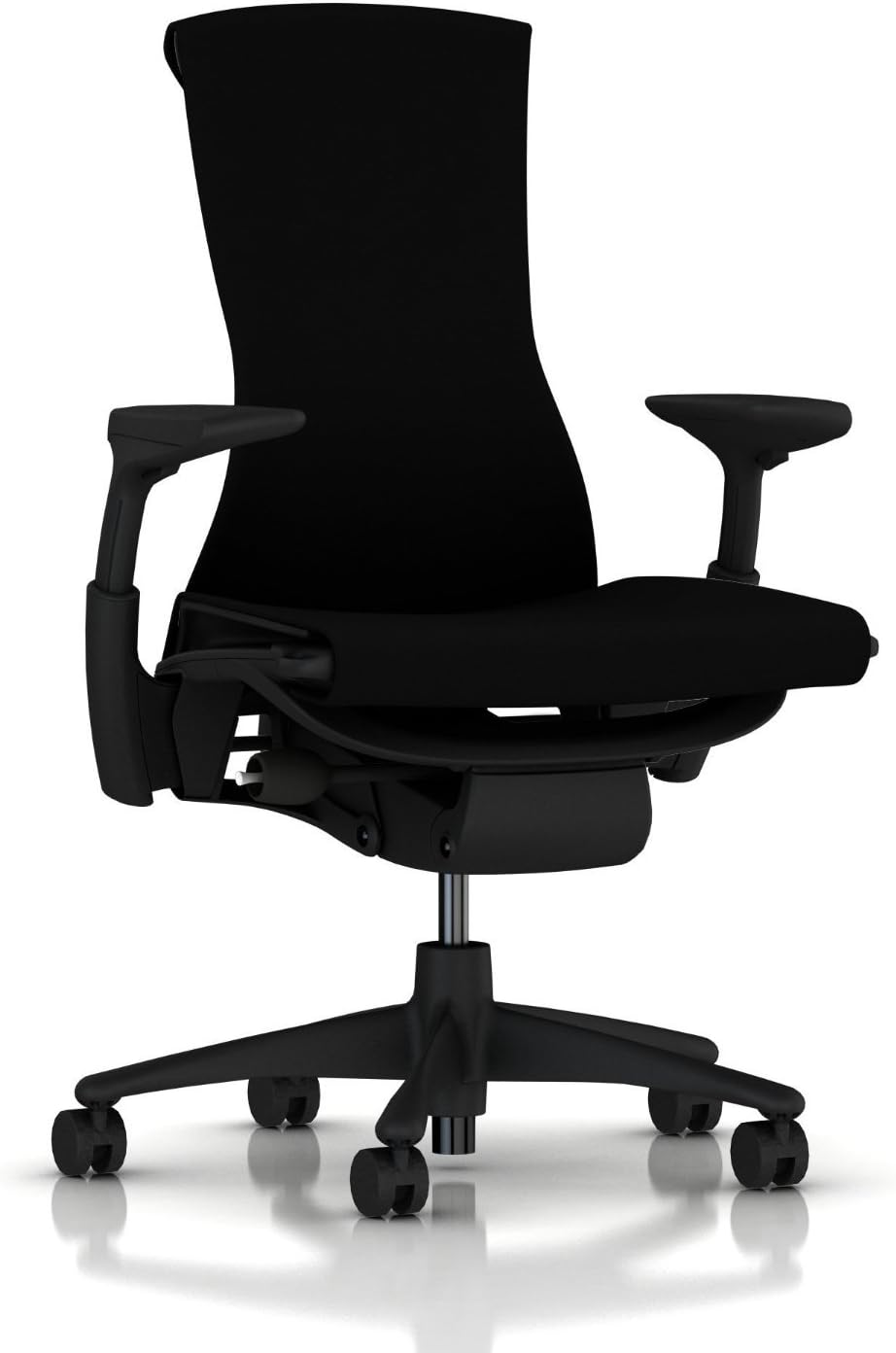
Herman Miller x Logitech Embody Gaming Chair bridges the aesthetic gap between gaming and office furniture. The striking blue-and-black colorway and Logitech G branding signal “gamer” without the aggressive racing-seat styling.
The Embody’s legendary ergonomics deliver professional-grade support for 12+ hour work-gaming marathons. This chair’s Pixelated Support system distributes weight across dozens of independent flexors, eliminating the pressure points that develop during extended sitting.
The BackFit adjustment rotates the entire backrest to match your spine’s natural curve—a feature absent from traditional gaming chairs and most office chairs under $800.
Styling vs Function in Gaming-Ready Office Chairs
Embody Gaming proves you don’t need bucket seats and racing stripes to create a gaming-centric chair. Logitech collaborated with Herman Miller to tune the foam density and cooling properties specifically for gamers who generate more body heat during intense sessions than during standard office work.
If you stream, create content, or maintain a professional home office that doubles as a gaming space, the Embody Gaming lets you keep one premium chair for both activities without compromising your office aesthetic. The subtler styling works on camera for business calls while still signaling your gaming identity during streams.
Herman Miller Aeron – Best Breathable Office Chair for Gaming

Herman Miller Aeron (Size C) remains the breathability champion 15 years after its initial release. The 8Z Pellicle mesh suspension eliminates foam entirely, creating a seat and backrest that allows complete airflow.
You’ll never experience sweat buildup even during summer gaming sessions in rooms without air conditioning. The Aeron’s PostureFit SL lumbar system uses two independent pads—one supports your lower back, the second supports your sacrum.
This dual-support system keeps your pelvis aligned whether you’re sitting upright for competitive gaming or leaning back during casual play. Size C fits users 5’10” to 6’6″ and 180-300+ pounds. Size B suits 5’3″ to 5’10” users under 180 pounds.
Choose size based on height first, weight second—sitting in the wrong size negates the Aeron’s ergonomic benefits.
Haworth Fern – Best Adjustable Office Chair for Gaming

Haworth Fern offers 13 different adjustment points, including seat depth, lumbar height and depth, backrest height, armrest position in four dimensions, and recline tension and angle. This level of customization means you can dial in the exact support configuration for your body type and gaming style.
The Fern’s Wave Suspension seat uses flexible polymer ribs instead of foam, creating a slightly springy feel that reduces pressure on your thighs during marathon sessions. The suspension doesn’t compress or wear out like foam does—expect the same support level in year five as day one.
Adjustment complexity is the trade-off. You’ll spend 20-30 minutes during initial setup testing each control to find your optimal position. Once configured, the Fern delivers personalized support that off-the-shelf gaming chairs can’t match.
IKEA Järvfjället – Best Value Office Chair for Gaming

IKEA Järvfjället delivers 70% of a premium office chair’s features at 30% of the price. You get adjustable lumbar support, armrest height adjustment, seat height control, and a breathable mesh back—the core features that matter for gaming comfort without luxury additions that inflate cost.
The Järvfjället uses simpler mechanisms than premium chairs—a basic tilt function instead of synchronized tilt, manual lumbar adjustment instead of dynamic support. These compromises barely affect day-to-day comfort but dramatically reduce the price.
Build quality sits between budget and mid-range tiers. The base and frame feel solid for the first 3-4 years, then minor creaks and resistance changes emerge.
At this price point, replacing the chair every 4-5 years costs less than buying one premium chair that lasts 10 years.
Office Chair for Gaming FAQ & Buying Guide
How Much Should You Spend on a Gaming Chair?
Budget tier ($200-$350) works for casual gamers who play 5-10 hours weekly and don’t experience existing back problems. These chairs provide basic adjustability and last 3-4 years with daily use. Expect firmer foam, limited adjustment options, and shorter warranties.
Mid-range ($400-$650) represents the sweet spot for serious gamers who spend 15-25 hours weekly gaming plus 40 hours working from home. These chairs offer advanced adjustability, better materials, and 5-7 year lifespans. Most deliver 85% of premium chair comfort at half the cost.
Premium tier ($800-$1,500) makes sense for competitive gamers, streamers, and remote workers who spend 50+ hours weekly sitting. These chairs feature the most adjustment options, longest warranties (10-12 years), and highest build quality. Cost-per-year over the warranty period often beats replacing cheaper chairs every 3-4 years.
Can an Office Chair Help with Posture and Back Pain?
Quality office chairs reduce back pain by maintaining your spine’s natural S-curve during extended sitting. Adjustable lumbar support positions cushioning precisely at your L4-L5 vertebrae, preventing the lower-back rounding that causes disc compression and muscle fatigue during 4+ hour sessions.
Gaming-specific posture benefits from chairs with synchronized tilt mechanisms that keep lumbar support in contact with your back as you recline. This prevents the gap that develops when cheap gaming chairs tilt only at the seat base, forcing you to choose between upright discomfort or reclined-but-unsupported positions.
How to Set Up Your Office Chair for Gaming Sessions
Start with seat height: adjust so your feet rest flat on the floor with knees bent at 90-95 degrees. Your thighs should be parallel to the ground or angled slightly downward. This prevents circulation problems during long sessions.
Set armrest height so your forearms rest lightly on the pads with shoulders relaxed—not hunched up or hanging down. Lower armrests during fast-paced FPS gaming to allow full mouse movement range. Raise them for strategy games and MOBAs requiring less arm motion.
Position lumbar support 1-2 inches below your belly button. Adjust the depth so you feel gentle pressure against your lower back without forcing you forward in the seat. Increase lumbar firmness for upright work posture, decrease slightly for gaming recline.
Office Chair vs Gaming Chair: Which Is Better for Gaming?
| Feature | Office Chair | Gaming Chair |
|---|---|---|
| Lumbar Support | Adjustable mechanisms, ergonomist-tested | Fixed foam pillows, limited adjustment |
| Adjustability | 8-13 adjustment points typical | 3-6 adjustment points typical |
| Materials | Breathable mesh, high-density foam | PU leather, thin padding |
| Warranty | 5-12 years standard | 2-3 years typical |
| Price Range | $300-$1,500 | $150-$800 |
| Durability | 5-10+ years daily use | 2-4 years before degradation |
| Aesthetics | Professional, subtle | Aggressive racing style |
| Ergonomics | Designed by ergonomists | Marketing-driven design |
Office chairs win on every functional metric except aesthetics. If you prioritize long-term comfort, adjustability, and value-over-time, choose an office chair.
Gaming chairs serve users who want bold styling and don’t mind replacing their seats every 2-3 years. The hybrid gaming office chair category—chairs like the Herman Miller x Logitech Embody—bridges this gap by offering office-grade ergonomics with gaming-inspired aesthetics.
These represent the best of both worlds for serious gamers who refuse to compromise on comfort.
Best Office Chairs by Category
Best by Features & Functions
Best Office Chairs for Big Tall People
Best Reclining Office Chairs
Best Office Chairs for Gaming
